



When you run a retail store, the constant change in traffic patterns can be challenging. From breathlessly busy weekends to unexpectedly slow mornings, just figuring out where to put your staff can be a daunting puzzle.
This is where workforce forecasting comes in.
Unsure how to get started? We’ve got you covered in this guide to workforce forecasting.
What is Workforce Forecasting in Retail?
Workforce forecasting is the process of predicting where to put your staff based on actual data.
This data can come from:
- Sales patterns—how transactions in your store rise and fall by the day, week, or promotion cycle
- Customer traffic—the number of people who walk through the door or log onto an online storefront
- Seasonal trends—holiday peaks, back-to-school surges, or slow stretches in midwinter and midsummer
- Local factors—any community events, shifts in the weather, or nearby store openings that impact your store
When you weave all these insights together, you can make a retail schedule that makes sense for your business—and for the people on the floor.
Now, you might be thinking, how am I supposed to collect all that data and sort through it and find the patterns that matter?
We’ll get to that in just a moment. But first, let’s explore some reasons why workforce forecasting is key to a healthy workplace.
How Forecasting and Scheduling Software Works
The best forecasting and scheduling software can keep tabs on all the data that makes a difference in your labor planning, from sales patterns to local factors. It can constantly analyze what’s happening in your stores and predict what’s likely to happen next.
Then, it can create smart schedules that give employees more control over their work lives.
Here’s how it works in practice:
- It automatically gathers your data. The forecasting and scheduling software integrates with your point of sale (POS), time clock, and traffic-counting software to pull real-time information on customer flows.
- It spots patterns. Forecasting and scheduling software can analyze historical data to see trends in your busy, slow, and seasonal times alike, helping you plan more accurately.
- It forecasts demand. Using the patterns it finds, the labor forecasting tool can predict how many employees you’ll need on the floor at any given time. This helps ensure the right coverage without overspending on labor.
- It builds and manages schedules. Instead of relying on copy-paste Excel templates, the system generates optimized schedules that balance customer demand with your team’s availability.
- It allows flexible shift swapping. Life happens. People get sick on the busiest days of the year. Employees request time off. A strong forecasting and scheduling tool also offers shift swap features that make it easy for employees to trade or claim open shifts within the platform.
- It automatically adapts. If a sudden rush, sale, or weather event sets your store spinning, the system can update to keep your staffing levels exactly where they need to be.
In short, forecasting and scheduling software takes the chaos out of planning. It can help your retail management stay proactive, avoid burnout, and offer employees more control over when and how they work.
All without leaving gaps on the floor or wasting money on unneeded labor. The benefits of predictive analysis are measurable, too: according to a recent Forrester study, companies that use workforce forecasting can enjoy a 10–15% increase in revenue.
How to Choose the Right Workforce Forecasting Tool
Are you ready to put workforce forecasting into practice?
The next step is to find the right tool to help you do it. The best option depends on your store size, your data sources, and the complexity of your scheduling needs.
That said, a few key features can make all the difference.
Here’s what to look for:
- Real-time data integration. The software should easily pull from your POS and traffic systems so your forecasts stay accurate without you having to update them manually.
- Accurate demand forecasting. Look for a platform that uses AI or predictive analytics to model future sales and staffing needs—not just copy last week’s schedule.
- Built-in compliance tracking. You shouldn’t have to keep tabs on breaks, overtime limits, and local labor rules. Your workforce planning tool should do it for you.
- Flexible scheduling tools. An ideal tool will offer shift swapping, make it easy for employees to claim open shifts, and mobile app access so employees’ can take control of their schedules.
- Easy reporting and adjustments. Managers should easily see what’s working, identify patterns, and quickly make changes.
With a workforce planning tool like Shiftlab,
retailers get all of these features in one place.
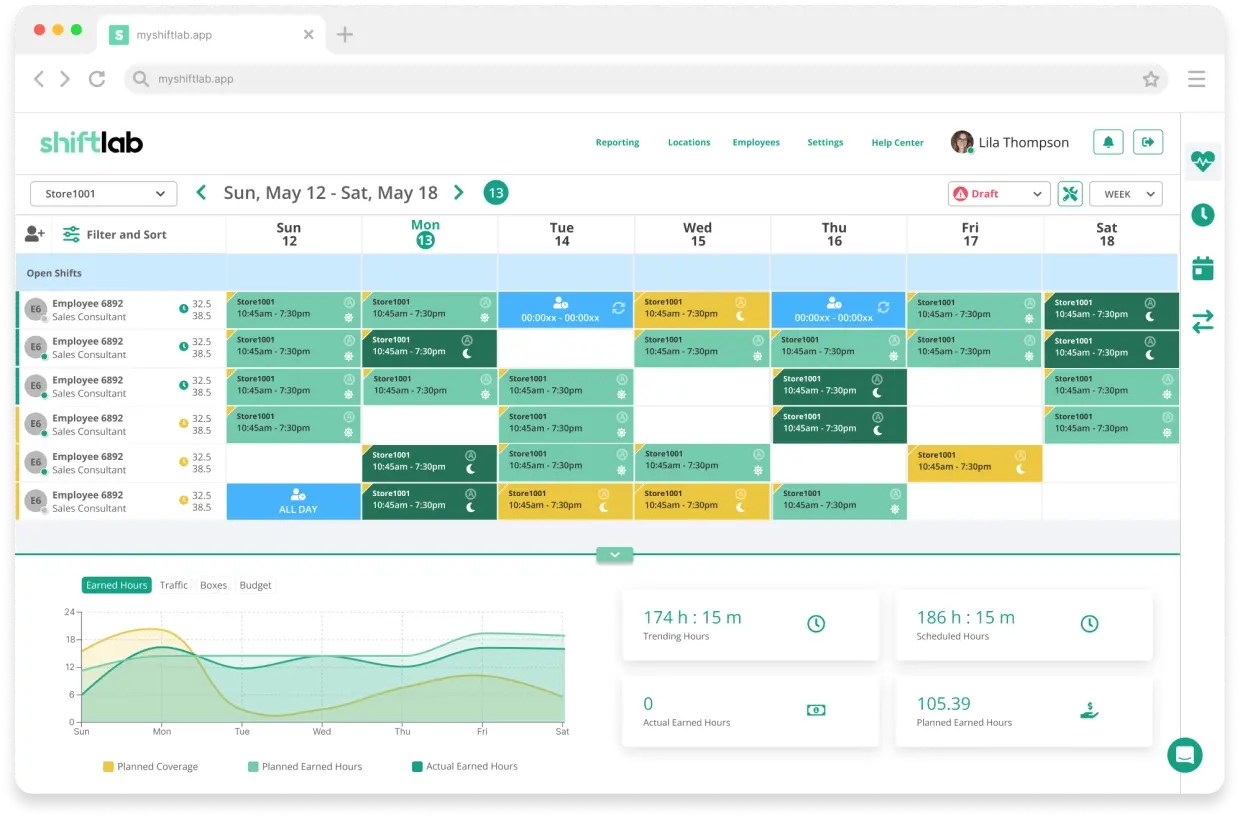
Next, let’s discuss how to do workforce forecasting
and what it should look like in real life.
How to Do Workforce Forecasting in Retail
Once you’ve chosen your tool, it’s time to start putting workforce forecasting into action. The goal is simple: use that data to make staffing decisions that match actual customer demand.
Here’s what the process looks like in practice:
- Gather your data. Start by connecting your POS, traffic counters, and time clock systems. If you’re using Shiftlab, these integrations sync automatically, making sure your data stays up-to-date all the time.
- Study the patterns. The scheduling and forecasting software analyzes your historical data to find trends in where your store is busiest, when sales dip, and which departments need extra coverage.
- Forecast your labor demand. Your tool uses those patterns, along with AI and/or predictive analysis, to calculate how many employees you’ll need for each day and time block on your schedule.
- Automatically build optimized schedules. The system you use will create balanced schedules that align with demand while also respecting each employees’ availability. Managers can review and improve schedules and changes, but they don’t have to build them from scratch.
- Continuously learn and adjust. After each scheduling cycle, a strong workforce planning tool will compare the forecasts to real performance and automatically refine future predictions.
With Shiftlab, this entire cycle hums seamlessly in the background. Managers can spend (much) less time reacting and (much) more time leading.
And over time, your forecasts will keep getting sharper, your schedules will get fairer, and your team will feel valued, respected, and confident.
Ready to move from manual scheduling?
Our team at Shiftlab can help you do just that with our workforce forecasting software.
Schedule your free demo today!